Plate IX · AEdition I
Astrolab
The full instrument, with a core set of genres.
- Every feature, nothing held back
- 8 core genres, no subgenres Example set
- Move up later and pay the difference
€69PlaceholderLaunch price · incl. VAT · one-time
Farwick Audio · Catalogue No. 1
Plate I
No. 1 · Drum instrument · Three editions

A beat you like in a minute.
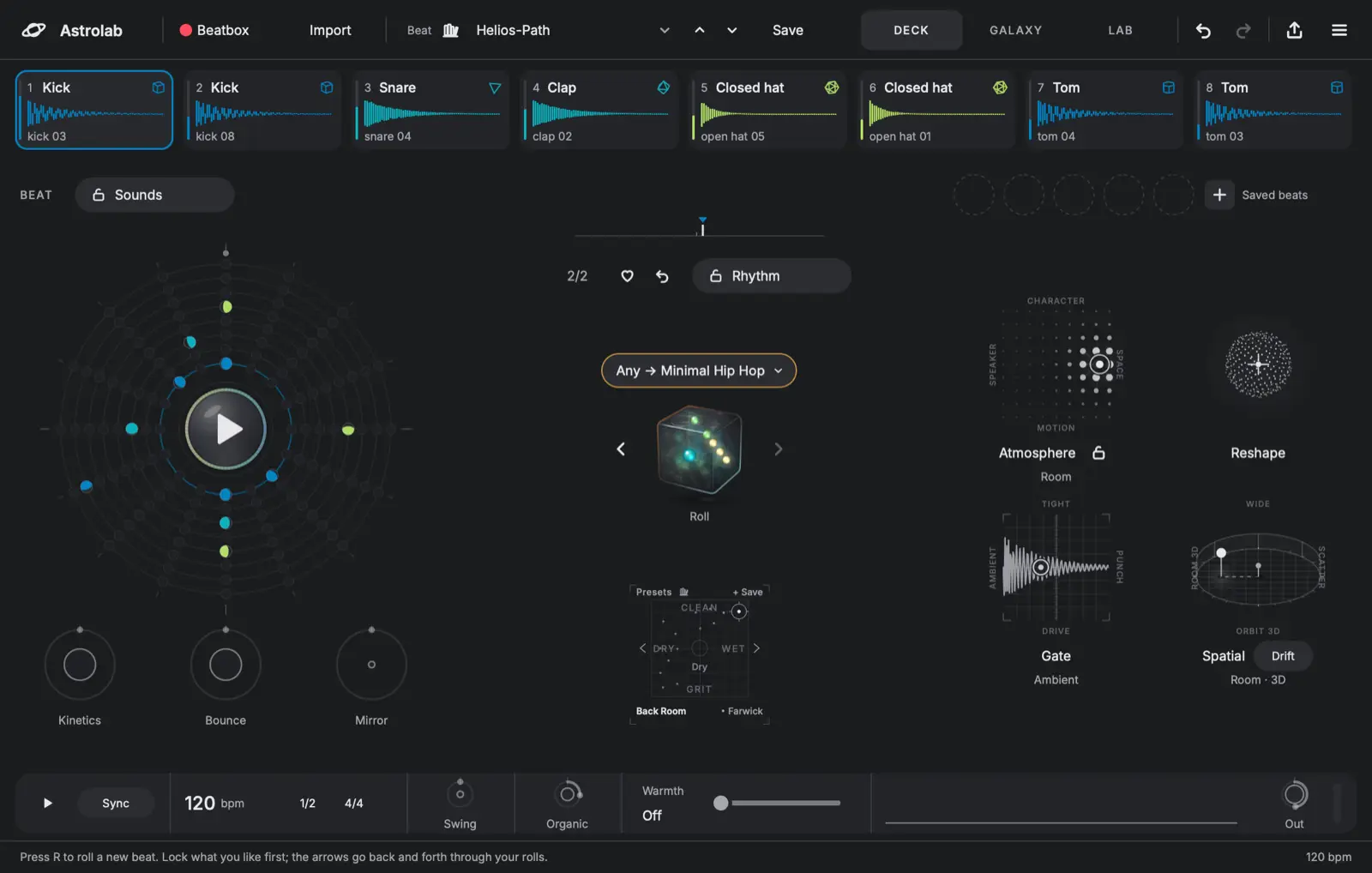
Astrolab rolls whole drum beats from your own samples. Lock what you like, roll the rest, then shape every hit.
Skin: Aurora. The plugin has eight, and so does this page.
The trial has every genre and needs no card. VST3 · AU · Standalone · AAX planned Windows to confirm
Farwick Audio · Listen
Plate II
II · Hear a roll
A sketch of four of Astrolab's genres, played by a tiny synth in your browser. Astrolab itself plays your own samples. Nothing makes a sound until you press Play.
Genre
Organic
Farwick Audio · How it works
Plate III
III · Three moves
Add your drum folders. Astrolab places every sound on its Galaxy by how it sounds, not by what the file is called.
Press the dice or R. Each roll is a whole beat, pattern and sounds together. The arrows walk back through earlier rolls.
Lock the rhythm, the sounds or one lane and roll the rest. Then open the Lab and set every hit by hand.
Farwick Audio · The Galaxy
Plate IV
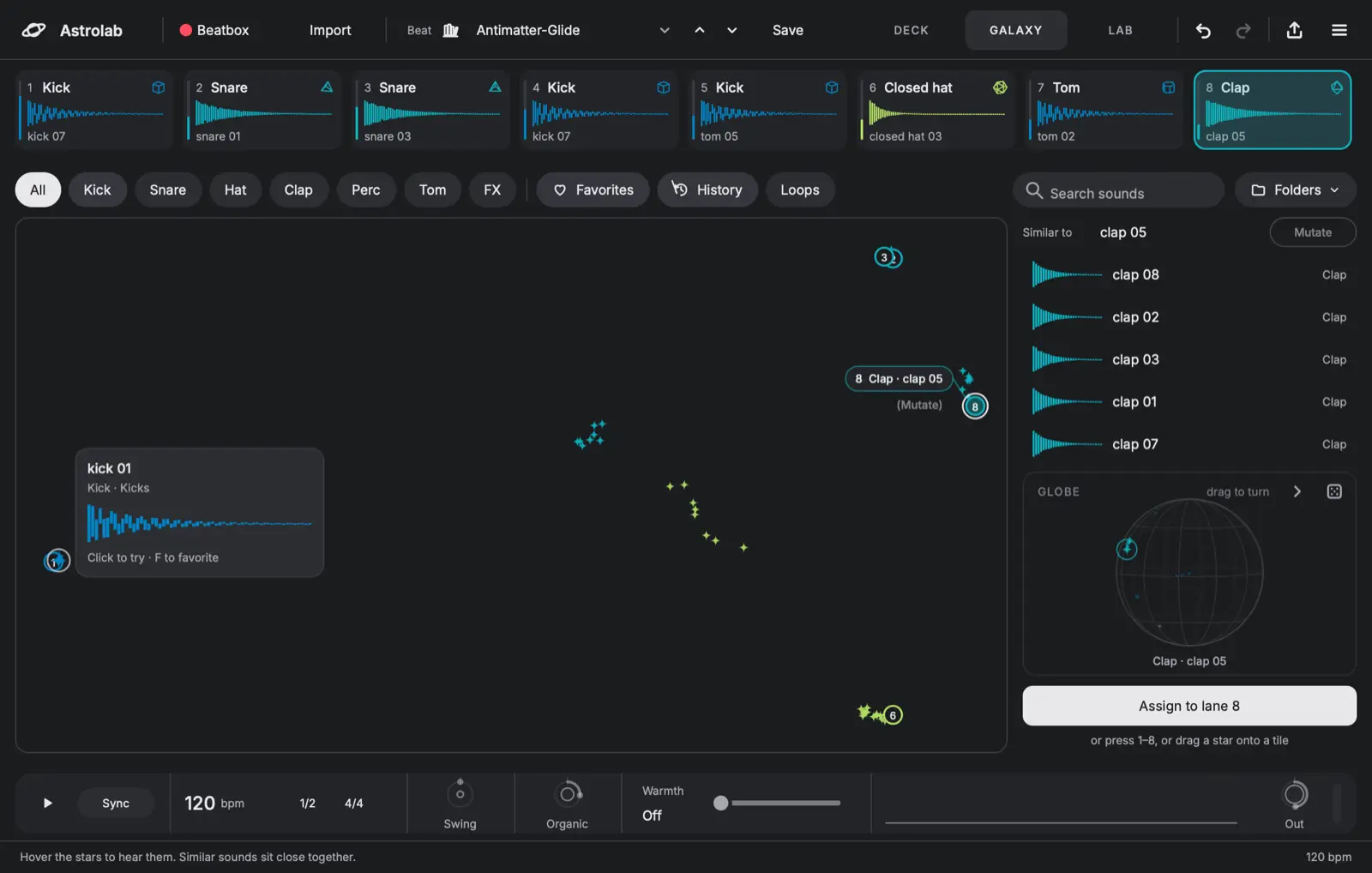
IV · The Galaxy
Your whole library on one map. Kicks gather near kicks, bright sounds near bright ones. Pick a star to hear it, then keep it on a lane.
Farwick Audio · The Lab
Plate V
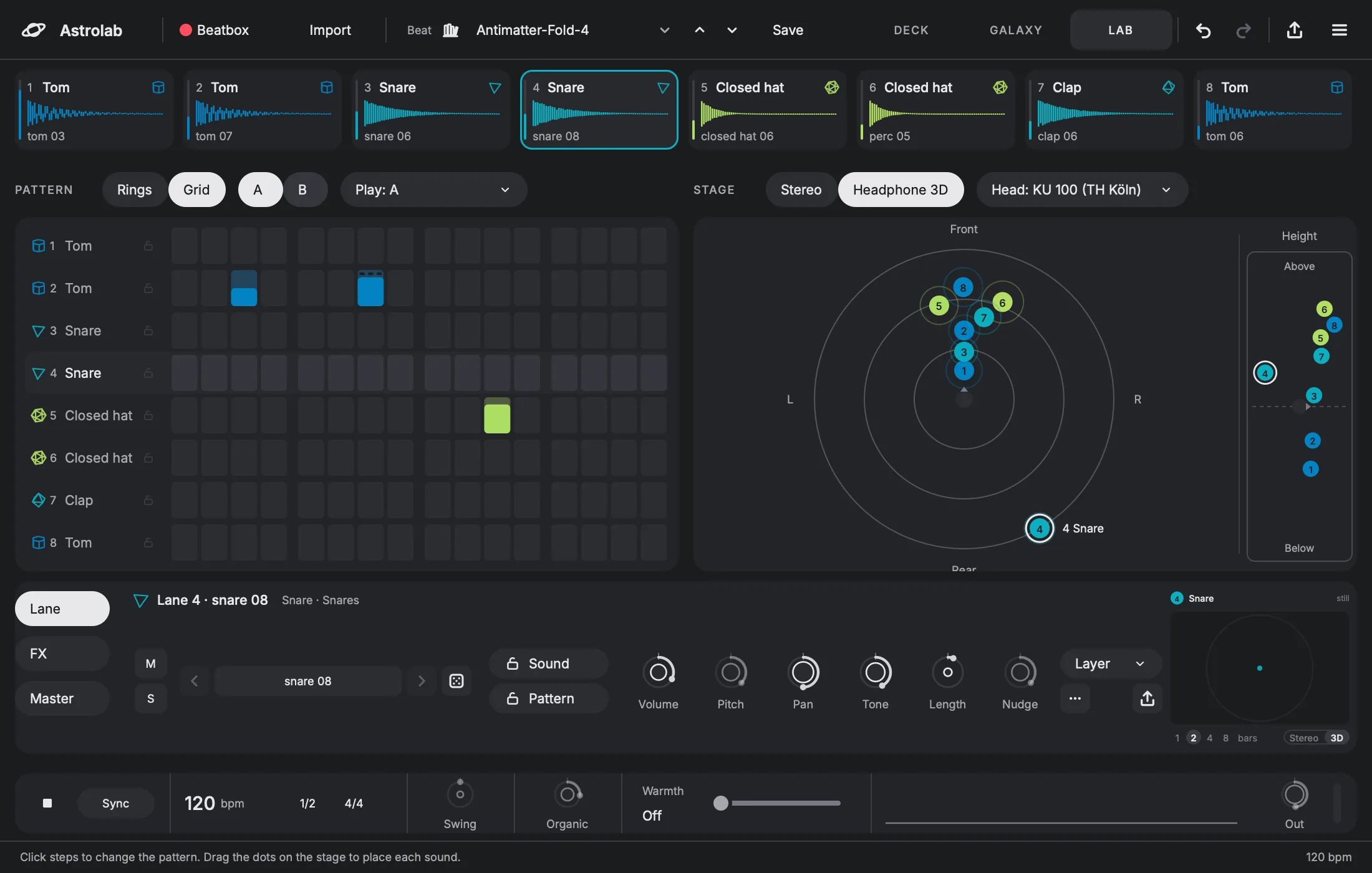
V · The Lab
When a roll is close, finish it by hand. Draw steps, keep two patterns side by side, and place each lane around your head.
Farwick Audio · Mutate
Plate VI
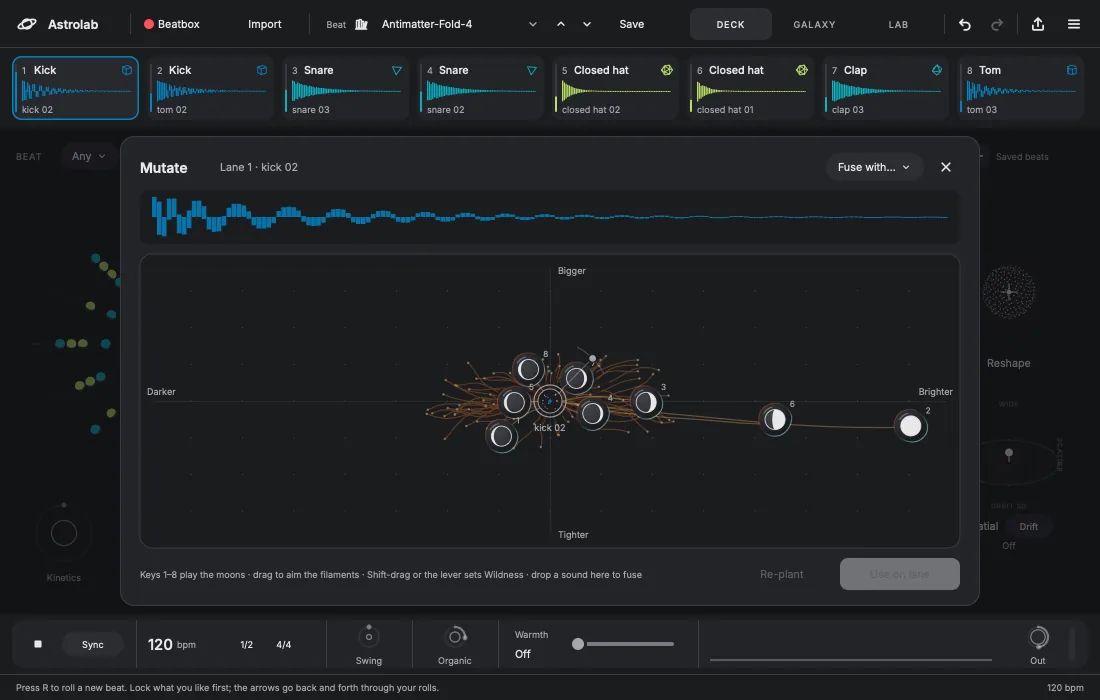
VI · Mutate
Open Mutate on any lane. Eight variations circle the sound like moons: darker, brighter, bigger, tighter. Play them from the keys 1 to 8 and keep the one you like.
Farwick Audio · Skins and small figures
Plate VII
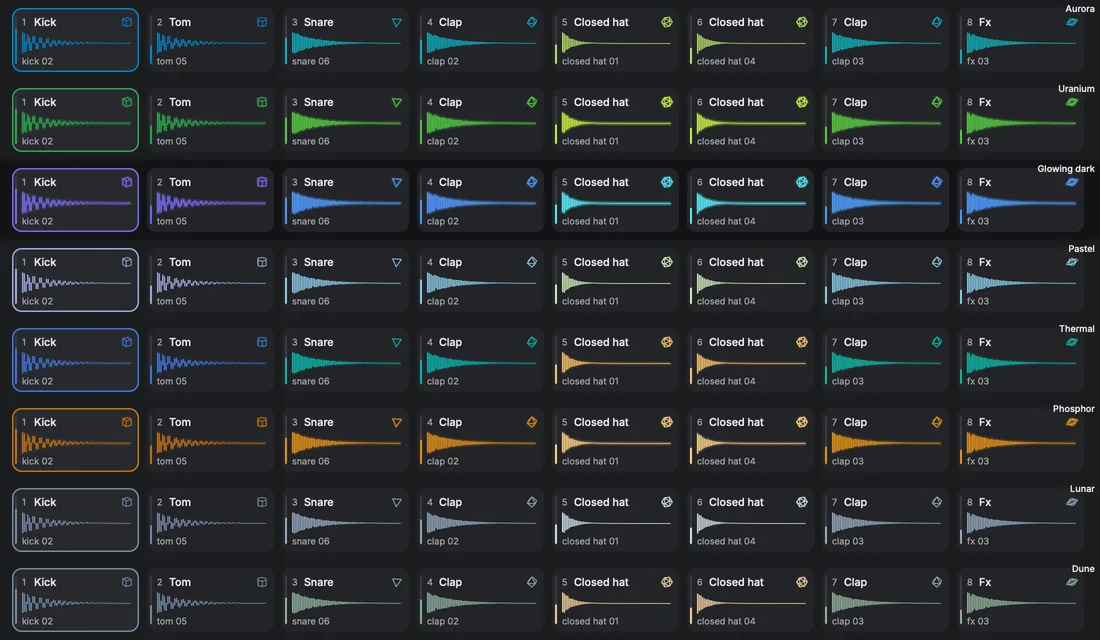
VII · Skins
Astrolab stays gray; colour marks sound, from low to high. Pick a skin here or at the top of the page, and every mark on this page changes with it.
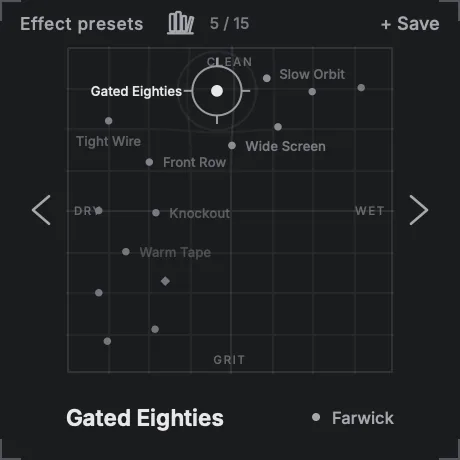
Fig. 11. A map of named sounds. Drag through it; save your own.
Fig. 12. Hum or tap a rhythm; it becomes the pattern.
Fig. 13. Stereo or Headphone 3D, set for the kit or per lane.
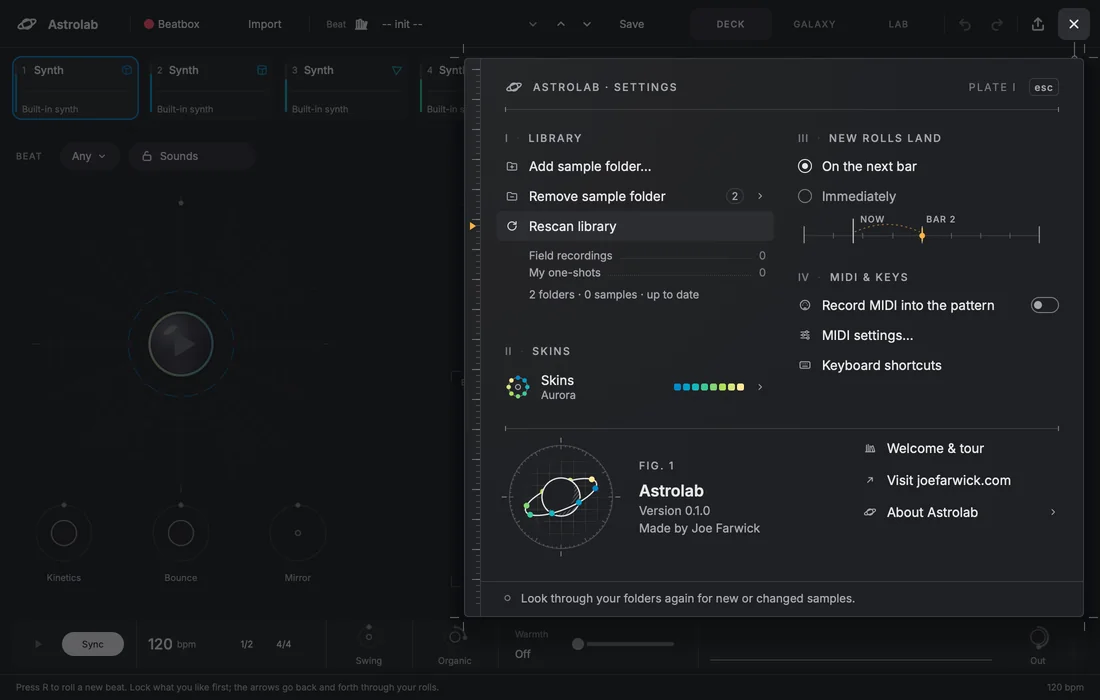
Fig. 14. Inside the plugin, settings are an engraved plate too.
Farwick Audio · Field notes
Hidden at launch
Field notes
A beta tester's first reaction, in their own words, used with their permission.
Name Surname · producer, city
One sentence on what changed in how they start a track. No adjectives we wrote for them.
Name Surname · engineer, city
A note from someone who made one of the effect presets, credited by name.
Name Surname · preset author
Blind listening test
In use by
Farwick Audio · Catalogue
Plate VIII
VIII · The catalogue
Farwick Audio makes instruments one at a time. Astrolab is out now; the next plates are in the workshop and not announced yet.

Drum instrument. Rolls beats from your own samples. Three editions, from €69 Placeholder
Not announced yet.
An empty plate, kept for later.
Farwick Audio · Astrolab editions
Plate IX
IX · Three editions
Every edition is the whole of Astrolab: Deck, Galaxy, Lab, Mutate, effect presets and all eight skins. The only difference is which genres the dice can roll. Move up whenever you like; you pay only the difference. Fusion, which blends genres into one beat, comes in a later update. No date
The full instrument, with a core set of genres.
Everything in Astrolab, plus five genres or subgenres you pick.
Everything, with every genre and subgenre Astrolab has.
IX · B · Pick your five
Pick any five genres or subgenres. Each pick lights one star on Fig. 16. Not sure yet? Buy now and pick later in your account; until then the dice roll the core genres.
Genres as they appear in Astrolab's browser today, grouped by family. The core genres are ticked already and never use a pick. A genre and each of its subgenres count as separate picks. Rule to confirm
Order slip · your plate
Farwick Audio · Compare and upgrade
Plate X
X · Side by side
| What | Edition IAstrolab | Edition IIAstrolab Constellation | Edition IIIAstrolab Ultimate |
|---|---|---|---|
| Genres the dice can roll | 8 core Example | 8 core + 5 you pick | All 28 |
| Subgenres | None | Any one can be a pick | All 64 |
| When you choose your picks | No picks | Now or later, in your account | Nothing to pick |
| Change your picks | No picks to change | One swap every 30 days, in your account | Nothing to pick |
| More genres later | Move up, pay the difference | Add picks, or move up | Already all in |
| Genres added in updates Hidden until decided | Rule to decide | Rule to decide | Included To confirm |
| Deck, Galaxy, Lab, Mutate, effect presets, 8 skins | Identical in all three · every feature, no limits | ||
| Your own samples | Identical in all three · any number of folders | ||
| Formats, computers, updates | Identical in all three · VST3, AU, Standalone, AAX planned · 2 computers · free 1.x updates Updates rule to confirm | ||
| Price, incl. VAT Placeholders | €69Placeholder | €99Placeholder | €139Placeholder |
Fig. 18 · The upgrade path
You only ever pay the difference Placeholder prices
Start
Free trial14 days, every genre, no card. Find your five before you choose. Suggestion
Edition I
AstrolabThe full instrument, core genres.
€69Edition II
ConstellationAdd your five picks.
+€30 from AstrolabEdition III
UltimateEvery genre and subgenre.
+€40 from ConstellationX · Free trial
The trial is the whole instrument with every genre lit, so you can hear which five you would keep. No card. When it ends, choose an edition and carry on where you were.
Trial · 14 days · every feature · every genre · no card
All prices include VAT. Placeholder prices Checkout runs through our reseller, who is the seller of record and handles VAT and invoices. Because Astrolab is a download, your right of withdrawal ends when the download starts; checkout asks you to agree to that first. That is why the full trial comes first.
Farwick Audio · Questions
Plate XI
XI · Questions
Anything missing? Write to support and a person answers, usually within two working days.
If you mostly make one or two styles, start with Astrolab and its eight core genres. If you know the five styles you keep coming back to, choose Constellation and pick them. If you move between many styles, or want every genre we add later, choose Ultimate.
Not sure? The free trial has every genre, so you can hear which ones you use before you decide. Core set: example
Yes: swap one pick every 30 days from your account page, and Astrolab updates at its next check. Beats you already made stay in your projects; only new rolls use your current picks.
You don't have to pick at checkout either. Buy Constellation now and choose your five in your account when you are ready; until then the dice roll the core genres. You can also add picks, or pay the difference and move up to Ultimate.
Any time, from your account. You pay only the difference between the editions, and your licence, computers and settings stay as they are.
Yes. Astrolab builds beats from the drum samples already on your computer. Add one or more folders and it sorts them for you.
Open question Whether a starter kit ships with it is still open.
Yes: 14 days with every feature and every genre, and no card needed. When it ends, choose an edition and carry on where you were.
Your licence arrives by email right after you pay. In Astrolab, choose Activate in browser and confirm. No extra app, no dongle. You can also activate with a licence file.
VST3 and AU plugins plus a standalone app for macOS. AAX for Pro Tools is planned; there is no date yet. The full list of tested hosts goes on the Astrolab page. Windows to confirm
Because Astrolab is a download, the 14-day right of withdrawal ends once the download starts, and checkout asks you to agree to that. That is why the full trial comes first. The withdrawal page and button are in the footer.
Two per licence, in every edition. To move to a new computer, release the old one in your account, then activate on the new one.
Farwick Audio · Notes from the workshop
Plate XII
XII · Hear first
One email when a new instrument is ready, and workshop notes about once a month if you want them. We confirm by email first, and every email has a one-click way out.